
OldSchool Controller Add-on | ビューポート操作用GUIを表示させるBlenderアドオン!
3dnchu.com · View original source
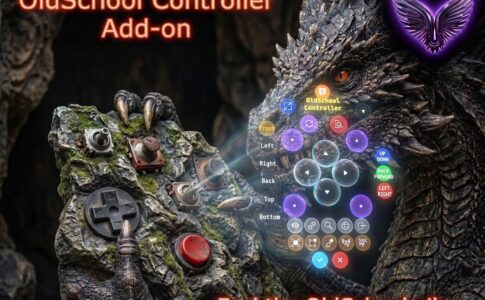
The OldSchool Controller Add-on, a new tool designed for Blender users, has been launched by Vladislav Samoilenko on ArtStation. This add-on introduces a graphical user interface (GUI) that enhances viewport operations, making it easier for artists to manage their 3D projects.
The OldSchool Controller Add-on is priced at just $1, aiming to simplify the workflow for Blender users by eliminating the need to memorize complex hotkeys or sift through lengthy menus. The add-on provides a control panel directly within the 3D window, ensuring that all necessary tools are readily accessible.
Features of the OldSchool Controller Add-on
One of the standout features of the OldSchool Controller is its user-friendly design. The control panel can be easily folded and repositioned anywhere on the screen, allowing for a customizable workspace. Users can perform various actions with simple button presses, such as rotating and moving objects with a long press on the corresponding buttons. Additionally, the add-on facilitates quick switching between camera views, including front, top, and side perspectives.
The add-on also streamlines the process of editing objects. Artists can swiftly toggle between different modes—object editing, sculpting, and texture painting—making it easier to transition between tasks. Furthermore, the add-on simplifies object management, allowing users to scale, apply transformations, and reset object properties with ease.
Overlay controls are another significant aspect of this add-on. Users can toggle the visibility of wireframes, check face orientations, and hide unselected items, enhancing the overall workflow and visual clarity within the viewport.
User Experience and Accessibility
The OldSchool Controller is particularly beneficial for those who may be using a tablet or operating with one hand, as it provides a more intuitive interface for controlling Blender's complex functionalities. While some users may have concerns about the visual design of the AI-generated thumbnail associated with the add-on, the functionality it offers is expected to outweigh any aesthetic considerations.
Why it matters
The introduction of the OldSchool Controller Add-on highlights a growing trend in the 3D modeling community towards enhancing user experience through simplified interfaces. As software like Blender continues to evolve, the need for accessible tools that cater to both novice and experienced users becomes increasingly important. This add-on not only addresses common pain points associated with Blender's interface but also encourages creativity by allowing artists to focus more on their work rather than navigating complex menus.
For creators and technologists, the OldSchool Controller Add-on serves as a reminder of the importance of usability in software development. As the demand for intuitive tools rises, developers are challenged to create solutions that meet the needs of diverse users. The success of this add-on could inspire further innovations in the field, leading to more user-friendly tools that enhance productivity and creativity in digital art and design.
In conclusion, the OldSchool Controller Add-on is a valuable addition to the Blender ecosystem, offering a practical solution for artists looking to streamline their workflow. At an affordable price point, it provides essential functionalities that can significantly enhance the user experience, making it a worthwhile investment for anyone involved in 3D modeling and animation.
Frequently asked questions
- What is the OldSchool Controller Add-on?
- The OldSchool Controller Add-on is a tool for Blender that provides a graphical user interface to enhance viewport operations, making it easier for users to manage their 3D projects.
- How much does the OldSchool Controller Add-on cost?
- The OldSchool Controller Add-on is priced at $1, making it an affordable option for Blender users.
- What features does the OldSchool Controller Add-on offer?
- The add-on offers features such as a customizable control panel, easy object management, quick mode switching, and overlay controls for enhanced visibility.
Related stories
AI & art news in your inbox, daily
The day's top stories, summarized. Free, no spam, unsubscribe anytime.