
Leaked iOS 27 Features Reveal a Major Customization Upgrade
Geeky Gadgets · View original source
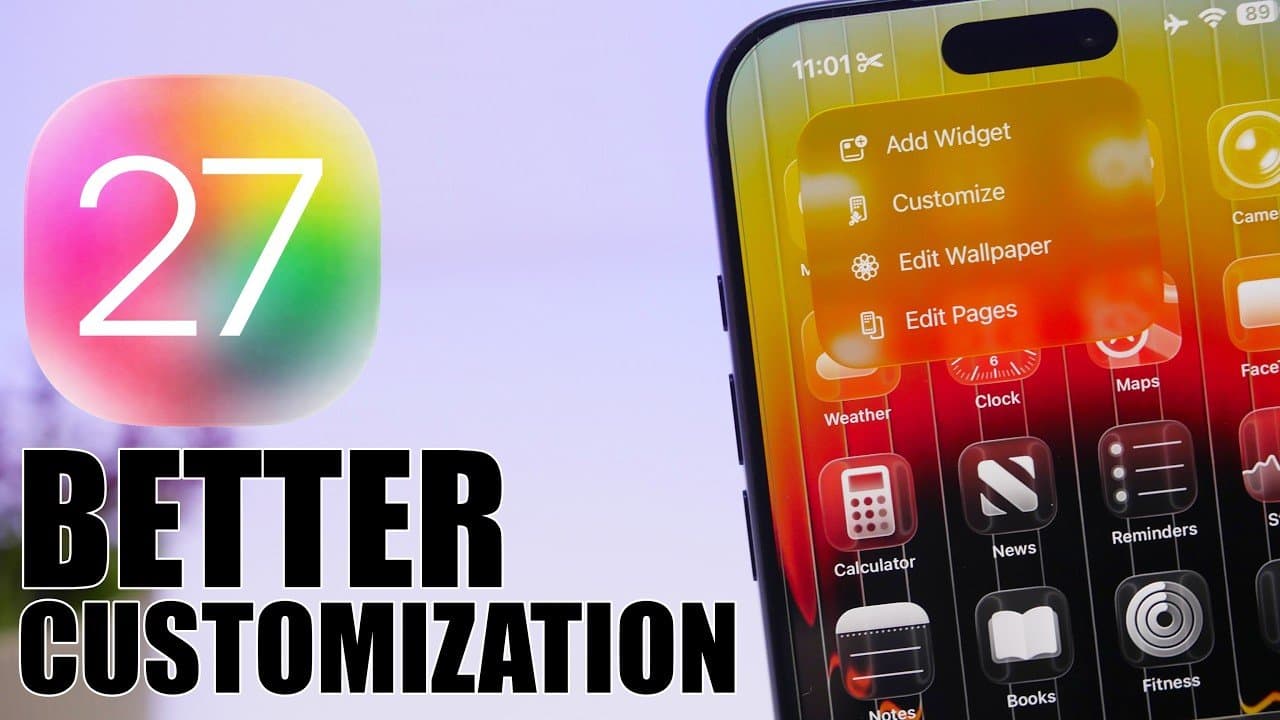
Apple's upcoming iOS 27 is set to revolutionize user interaction with devices through a comprehensive update that emphasizes customization, artificial intelligence (AI), and streamlined usability. This latest iteration aims to create a more personalized and efficient experience for both casual users and tech enthusiasts alike. With enhancements ranging from a reimagined camera app to smarter AI tools, iOS 27 promises to adapt seamlessly to individual user needs, as highlighted in a recent video by iReviews.
Redesigned Camera App and AI Enhancements
A standout feature of iOS 27 is the completely revamped camera app, which now offers greater control and flexibility. Users can expect a new customizable interface that allows them to arrange controls like widgets, ensuring that frequently used features—such as filters, exposure adjustments, and focus settings—are easily accessible. This intuitive design aims to make capturing the perfect shot more straightforward than ever before.
In addition to the interface changes, Siri's AI-powered visual intelligence enhances photo and video captures based on the user's environment. Whether users are shooting in low light, capturing fast-moving subjects, or framing a scenic landscape, Siri's enhancements are designed to deliver professional-quality results with minimal effort. This feature allows users to achieve stunning visuals without requiring advanced photography skills, making high-quality imaging accessible to everyone.
Enhanced Typing and Autocorrect Features
Typing on iOS 27 has also been refined to create a more natural and responsive experience. The keyboard now includes subtle animations for each keystroke, providing tactile feedback that enhances overall interaction. This attention to detail is particularly beneficial for users composing quick texts or drafting lengthy emails, as it ensures smoother interactions.
The autocorrect function has undergone a significant upgrade as well. It now offers context-aware suggestions that adapt to a user's writing style, providing smarter alternatives to improve clarity and accuracy. This feature is akin to advanced writing tools like Grammarly, ensuring that messages and documents are polished and error-free, thus enhancing communication effectiveness.
Customization and Usability Improvements
iOS 27 takes home screen customization to new heights, offering tools that simplify the design of a layout tailored to individual preferences. The introduction of undo and redo buttons allows users to experiment freely with arrangements, alleviating the anxiety of losing progress while trying out new configurations.
Enhanced widget options, dynamic wallpapers, and improved app arrangement tools empower users to create a home screen that is both visually appealing and functionally efficient. These updates ensure that devices reflect personal style while meeting practical needs, thereby making navigation more intuitive and enjoyable.
Safari, Apple's web browser, also sees significant improvements in iOS 27. The redesigned start page now features categorized tabs that automatically group content by type—such as news, sports, or technology—simplifying multitasking. This organization makes it easier for users to locate specific pages while managing multiple topics during a single browsing session, enhancing productivity and usability.
The Photos app leverages advanced AI technology to elevate editing capabilities. Users can now make automatic enhancements to lighting, color balance, and sharpness with a single tap, facilitating professional-quality edits without extensive manual adjustments. One of the most innovative additions is the ability to expand images beyond their original frame. Using AI, the app intelligently fills in missing details, allowing for creative cropping and resizing without compromising image quality. This feature opens up new possibilities for photo editing, enabling users to reimagine their images in ways that were previously unfeasible.
Siri's Evolution and Multitasking Capabilities
Siri evolves significantly in iOS 27, becoming a more capable and versatile assistant. The introduction of a standalone Siri chatbot app facilitates deeper, more conversational interactions, making it easier for users to manage tasks, set reminders, or retrieve information with precision. Furthermore, Siri's multitasking capabilities have been expanded to integrate seamlessly with third-party apps, allowing users to control multiple applications simultaneously. This streamlining of workflows saves time and enhances efficiency, whether users are coordinating schedules, managing smart home devices, or handling work-related tasks.
In summary, iOS 27 represents a substantial leap forward in creating a more intuitive, personalized, and efficient user experience. With updates spanning various features—including the camera app, keyboard, home screen, Safari, Photos, and Siri—this release emphasizes usability and customization to meet the diverse needs of its users. Whether seeking convenience in everyday tasks or exploring advanced features for creative projects, iOS 27 aims to deliver a tailored experience that aligns with individual preferences. Apple's commitment to blending innovation with user-centric design ensures that devices not only work smarter but also adapt to enhance daily life.
Frequently asked questions
- What are the key features of iOS 27?
- iOS 27 includes a redesigned camera app, refined typing and autocorrect features, enhanced home screen customization, and improved Safari browsing. Additionally, Siri has evolved with new capabilities.
- How does Siri's AI improve photo and video quality?
- Siri's AI-powered visual intelligence optimizes photo and video captures based on the environment, ensuring professional-quality results with minimal user effort.
- What new customization options are available in iOS 27?
- iOS 27 offers enhanced widget options, dynamic wallpapers, and tools for rearranging apps, allowing users to create a personalized and functional home screen layout.
Related stories
AI & art news in your inbox, daily
The day's top stories, summarized. Free, no spam, unsubscribe anytime.