
Frame Perfect: put your Blender camera exactly where you’re looking
Blendernation.com · View original source
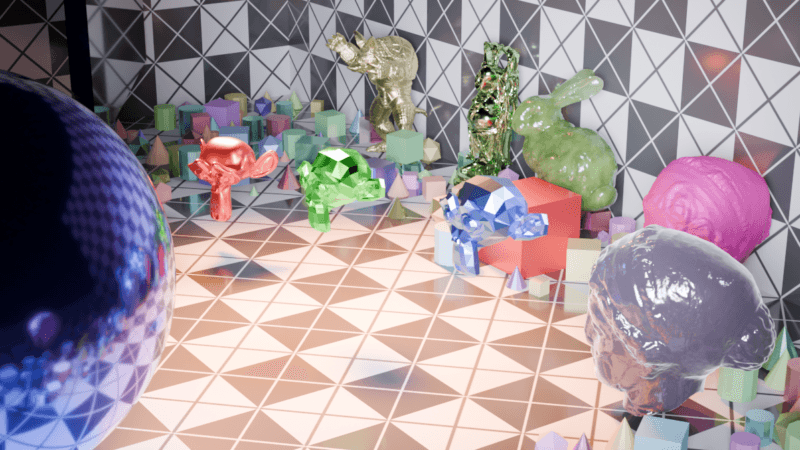
In a significant development for Blender users, VeeVeeVee has launched a new add-on called Frame Perfect, designed to enhance the camera setup process for 3D modeling and rendering. This tool allows creators to position their camera in exact alignment with their viewport, simplifying the often frustrating task of capturing the perfect shot of their 3D creations.
For many artists and designers using Blender, the camera setup has historically been a source of frustration. After investing time and effort into creating intricate 3D models, the rendering phase can become a cumbersome experience. Artists frequently find themselves wrestling with camera angles, lens choices, and render settings, often resulting in suboptimal images or the need for multiple re-renders. In some cases, users resort to taking screenshots as a compromise, which can diminish the quality of their work when sharing it with others.
To address these challenges, Frame Perfect directly aligns the camera with the user's current viewport perspective, ensuring that what is seen on the screen translates directly into the rendered output. This feature allows users to add new cameras effortlessly and adjust their tilt, height, and roll without losing the original framing. The camera's movement mimics the natural orbiting behavior of users around their subjects, providing a more intuitive experience. Additionally, users can pan the camera side to side or up and down, with all adjustments being measurable and repeatable.
The add-on also includes quick access buttons for different rendering quality settings: draft, good, and best. These presets have been tested on both EEVEE and Cycles render engines, enabling users to produce high-quality images without the worry of misconfigured settings. With a simple press of F12 or the click of a render button, users can generate their images with confidence. Furthermore, Frame Perfect allows for batch rendering of multiple selected cameras, streamlining the workflow for artists who want to explore various angles and perspectives.
While Frame Perfect is primarily designed for still images, it does offer basic camera animation capabilities for users familiar with keyframes. The camera remains locked on the subject, adjusting automatically if the framed object is moved, rotated, or resized. However, the add-on currently lacks advanced turntable-style movements, which the developer plans to incorporate in future updates.
For newcomers to Blender, Frame Perfect features an explainer mode that is enabled by default. This mode provides clear, plain-language descriptions of each function, ensuring that users can navigate the tool without confusion. Once users become familiar with the interface, they can disable this mode to maximize their efficiency in setting up camera angles.
The add-on has been tested for compatibility with Blender versions 4.5 and 5.2 LTS, making it accessible to a wide range of users. The developer, VeeVeeVee, shared a personal anecdote about the creative process, highlighting how the add-on allowed for a fresh perspective on a scene that had already been set up. The ease of finding new angles and the enjoyment of the process are emphasized as key benefits of using Frame Perfect.
Frame Perfect is available for purchase on Superhive for $24.99, having launched on September 3rd. As VeeVeeVee's first add-on, it was developed out of necessity, with an openness to user feedback for future improvements. This willingness to adapt and evolve the tool based on user suggestions may further enhance its value in the Blender community.
Why it matters
The introduction of Frame Perfect is a noteworthy advancement for Blender users, particularly those who focus on 3D modeling and rendering. The add-on addresses a common pain point in the creative process: the difficulty of aligning the camera with the desired view. By streamlining this aspect of rendering, Frame Perfect not only saves time but also enhances the overall creative experience for artists.
For creators, the ability to quickly and accurately set up camera angles can lead to more productive workflows and higher-quality outputs. This efficiency can be particularly beneficial for those working on projects with tight deadlines or for artists looking to experiment with different perspectives. The inclusion of quick rendering settings further reduces the barriers to producing polished images, allowing users to focus on their artistic vision rather than technical hurdles.
For technologists and developers within the Blender ecosystem, Frame Perfect represents an example of how user feedback can drive innovation. The developer's commitment to ongoing improvements and openness to suggestions indicates a collaborative spirit that can lead to further enhancements in the tool. This approach not only benefits individual users but also contributes to the overall growth and evolution of the Blender community as a whole.
Frequently asked questions
- What is Frame Perfect?
- Frame Perfect is a new add-on for Blender that enables users to set up a camera that matches their current viewport view, simplifying the rendering process.
- How does Frame Perfect improve the camera setup process?
- It allows users to easily position the camera, adjust angles, and access quick rendering settings, making it more intuitive and efficient.
- Is Frame Perfect suitable for beginners?
- Yes, Frame Perfect includes an explainer mode that provides clear descriptions of its functions, helping newcomers navigate the tool easily.
Related stories
AI & art news in your inbox, daily
The day's top stories, summarized. Free, no spam, unsubscribe anytime.